TL;DR: Can you build a startup with a team of OpenClaw bots?
Yes, in theory you can create a startup using OpenClaw bots, but you need to understand the caveats. OpenClaw is a flexible AI framework that mimics human assistants for better task management and collaboration. By setting up specialized bots for tasks like SEO, content writing, and customer outreach, founders can save time, cut HR costs, and automate operations. But, of course, there’s a catch.
If you’re exploring AI for your business, learn more about OpenClaw for Startups to see how it can enhance productivity and reduce overhead.
Check out startup news that you might like:
Startup News: Shocking SEO Mistakes and Proven Steps Revealed for Entrepreneurs in 2026
Startup News: Hidden Benefits and Insider Tips from CEE’s Epic Rise at CES 2026
Startup News: The Ultimate Guide to Gemini for Entrepreneurs in 2026
Can you build a startup with a team of OpenClaw bots? Yes, and I can tell you this from experience because I’ve done it. Not with OpenClaw bots, but with something quite similar. I am a fan of bots and bot workflows for automating multiple startup tasks. And you can easily launch your startup on social media for immediate validation.
Btw, if OpenClaw sound too complicated for you, you might want to check out Perplexity Computer, but it comes with a high price tag.
A few years back we have created PlayPals, AI co-founders for female entrepreneurs. They were not pro-active yet, because the tech was not there yet, but we clearly understood what needed to be done.
As a founder who has been in the startup world for over a decade, I talk to entrepreneurs every day. Not just those dabbling in ideas, but real people, from early-stage MVP builders to bootstrapped seven-figure founders who skipped the VC route intentionally. I’ve seen what works, what doesn’t, and where generative AI fits into the picture to multiply your efforts.
I asked myself this exact question in early 2024 while managing my ventures. Would it be possible to replace a small team with a fleet of AI assistants, skilled and structured enough to operate like humans? A lot of entrepreneurs in my circle thought the idea was a bit “sci-fi”. But I knew that the tools were already out there.
OpenClaw (formerly Clawdbot and Moltbot), a viral AI agent system, is the first viral example of a collaborative system where multiple AI agents work together like a team. This arrangement can save time, reduce costs, and feel pretty much awesome.
Here’s the guide, how to get started, the challenges along the way, and maybe answers to where this fits in your journey as a founder. If you’re like me and believe in leaning heavily on tools while skipping bloated HR processes or endless SaaS subscriptions, you’re in the right place.
What exactly is OpenClaw?
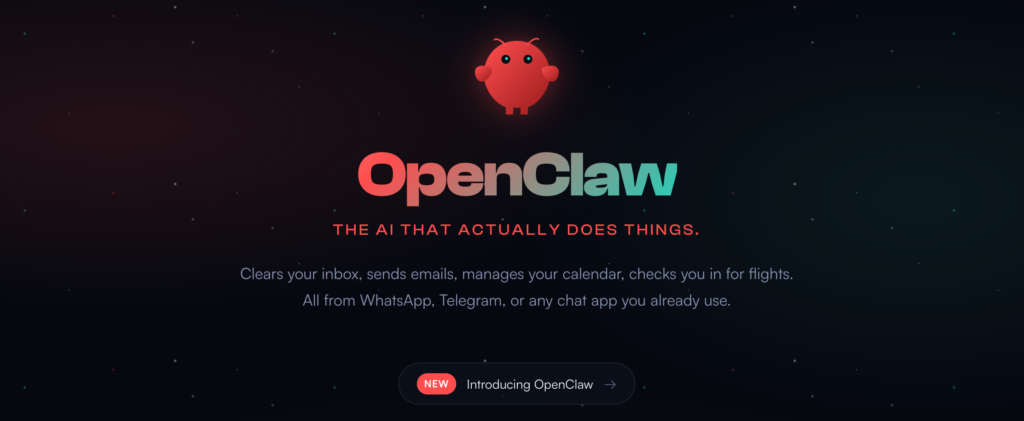
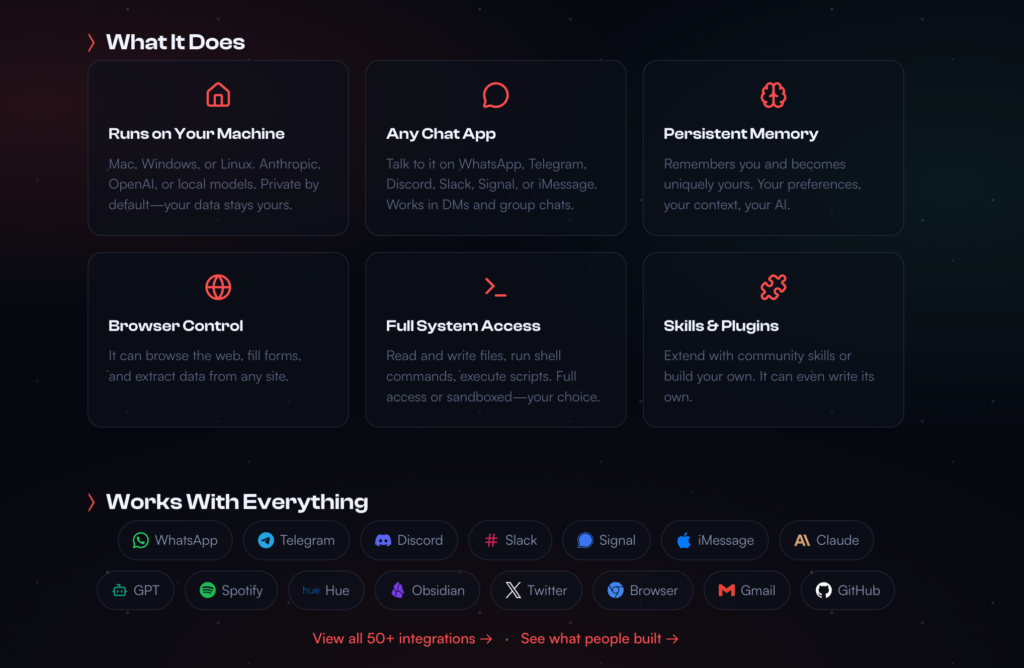
Before we dive into implementation, let’s make sure we’re on the same page. OpenClaw is an AI agent framework designed to make AI assistants function more like real humans. It operates across communication platforms like WhatsApp, Telegram, Slack, and more. Think of it as a highly capable personal assistant that retains memory, automates your tasks, and even works autonomously within rules you define. Unlike typical AI, OpenClaw doesn’t just answer questions, it completes actions, checks in on tasks, and remembers past conversations.
The magic lies in OpenClaw’s persistence, toolset integration, and its ability to run as an independent agent while still synching with your existing workflows. Imagine combining the knowledge retention of your smartest colleague, the task execution of a virtual assistant, and a collaborative team environment, all while avoiding the overhead of hiring multiple people.
For me, the light bulb moment was realizing that I could scale this system beyond a single assistant. Instead of one hyper-efficient AI bot, why not create a distributed system of specialized agents? If each agent had specific tasks and areas of expertise, like research, SEO, content marketing, or customer outreach, suddenly, you’re not just a solo founder anymore. You’re the CEO of an AI-backed team.
So, how does OpenClaw actually work?
OpenClaw is structured around the concept of persistent sessions, which are essentially isolated workspaces for each individual agent. Every session holds its own memory and context, which makes it possible for multiple agents to operate independently yet interoperably. Let’s break it down:
- The Gateway: This is the command center where all the action happens. It handles message routing and task execution across different communication channels (like Slack or Telegram) and manages the lifecycle of AI assistant sessions.
- Session Keys: Each agent or bot is identified by a unique session key (e.g., agent:seo-analyst:main). This ensures that the data, memory, and task context for each assistant stay distinct, even if multiple agents are working on different things simultaneously.
- Workspaces: Each session has a dedicated workspace directory on your server where files, task details, memory logs, and tools for execution are stored. This setup is critical for creating agents with personalities, skills, and persistent memory.
For founders who rely on task delegation or process automation, this kind of structure can replicate the segmented workflows typically handled by real team members. Your copywriter bot has no business reviewing the SEO strategy bot’s work, they just align their contributions on a shared system.
The Real Problem Every AI Tool Gets Wrong
Every AI assistant suffers from digital amnesia. You spend 20 minutes explaining context. The AI produces something useful. Next day? Gone. You start from scratch, re-explaining the same background, answering the same questions, rebuilding the same context.
It’s a failure of architecture.
What founders actually need is AI that works like a team. Agents that remember what they’re working on. Multiple agents with different specializations collaborating naturally. A shared workspace where all context lives permanently. The ability to assign tasks and get status updates without micromanaging.
Research from McKinsey shows that 99% of companies plan to put AI agents into production, but only 11% have done so successfully. The gap isn’t technical capability. It’s architectural thinking.
Why OpenClaw Changes (Almost) Everything
OpenClaw (formerly Clawdbot) is an open-source framework that runs as a persistent daemon on your infrastructure. Three capabilities separate it from typical AI tools:
First, real-world connection. File system access, shell commands, web browsing, API integration. Your agents don’t just chat; they execute.
Second, persistent sessions. Conversation history survives restarts. Context from last month still exists. Memory isn’t optional; it’s architectural.
Third, message routing. Connect agents to Telegram, Discord, Slack, WhatsApp, or any messaging platform. Your team communicates where you already work.
The insight that unlocked everything: if one OpenClaw instance gives you one assistant, running ten instances with specialized configurations gives you a coordinated team.
The architecture was already there. I just needed to orchestrate it properly.
The Foundation: Understanding Session Architecture
Building a multi-agent system requires understanding how OpenClaw manages identity and memory. Skip this section and you’ll build something that breaks under pressure.
The Gateway: Your 24/7 Mission Control
The Gateway runs continuously on your server. It manages all active sessions, handles scheduled tasks (cron jobs), routes messages between channels and agents, and provides a WebSocket API for programmatic control.
Start it with a single command:
bashclawdbot gateway start
Configuration lives in JSON. You define which AI provider and model to use (Anthropic’s Claude, OpenAI, local models), which messaging channels to connect, what tools agents can access (file system, shell, browser, custom APIs), and default system prompts plus workspace paths.
According to N-iX research on multi-agent systems, properly architected systems can accelerate modernization timelines by 50% and reduce operational costs by more than 40%.
Sessions: How Agents Maintain Identity
A session is a persistent conversation with complete context. Each session has:
- Session key: Unique identifier like
agent:main:main - Conversation history: Stored as JSONL files on disk
- Model assignment: Which AI model this agent uses
- Tool access: What capabilities the agent possesses
Sessions are independent. Each maintains its own history, its own context, its own memory. This isolation is the secret. When you run five agents, you’re running five sessions, each with their own persistent identity.
How Information Flows Through The System
textUser sends message to Telegram
        ↓
Gateway receives and routes
        ↓
Correct session loads conversation history
        ↓
AI generates response (with full context)
        ↓
Response sent back through Telegram
        ↓
History updated and saved to disk
Sessions can be main sessions (long-running, interactive) or isolated sessions (one-shot, for scheduled tasks). Main sessions are your core agents. Isolated sessions handle scheduled check-ins.
The Workspace: Where Memory Lives
Every OpenClaw instance has a workspace directory on disk:
text/home/usr/clawd/           ← Workspace root
├── AGENTS.md              ← Operating instructions
├── SOUL.md                ← Agent personality definition
├── memory/
│   ├── WORKING.md         ← Current task state
│   ├── 2026-02-01.md      ← Daily activity logs
│   └── MEMORY.md          ← Long-term knowledge base
├── scripts/               ← Utilities agents execute
└── config/                ← Credentials and settings
The workspace is how agents persist information between sessions. They write to files. Those files survive restarts, server migrations, and model changes.
This isn’t temporary cache. This is permanent memory.
From One Agent To Five: Building Your SEO Content Team
Now that you understand the foundation, here’s how to scale from a single assistant to a coordinated workforce focused on SEO and content creation.
The Core Insight That Changes Everything
OpenClaw sessions are independent. Each can have its own personality file (SOUL.md), its own memory files, its own scheduled tasks, its own tool permissions, and its own communication channels.
Each agent is just a specialized session configuration.
My lead agent Elona Musk has session key agent:main:main, a SOUL.md defining her as content strategist and team coordinator, access to all tools, and connection to my personal Telegram account.
My SEO specialist Petra has session key agent:seo-specialist:main, a SOUL.md defining her as the keyword research expert, the same tool access (file system, shell, browser), and her own heartbeat cron schedule.
Five agents equal five sessions. Each waking on their own schedule. Each with their own persistent context.
Data from enterprise AI implementations shows that clear task decomposition prevents agents from overlapping responsibilities or competing for decisions, exactly what session isolation provides.
Session Keys: Your Agent Identity System
Each agent gets a unique session key:
textagent:main:main                  → Elona (Content Strategist & Team Lead)
agent:seo-specialist:main            → Petra (SEO & Keyword Research)
agent:content-writer:main            → Samantha (Long-form Content Writer)
agent:content-optimizer:main         → Sia (Content Optimization & Editing)
agent:link-builder:main              → Maya (Link Building & Outreach)
agent:analytics:main                 → Victoria (Analytics & Reporting)
When you send a message to agent:seo-specialist:main, only Petra receives it. Her response gets added to her history file. Samantha’s session never sees it.
Separate identities. Separate contexts. Zero cross-contamination.
The Heartbeat System: Scheduled Agent Wakeups
Here’s where it gets interesting. Agents don’t run continuously (that burns API costs). They wake periodically via cron jobs:
bash# Maya wakes every 15 minutes at :00, :15, :30, :45
clawdbot cron add \
  --name "maya-mission-control-check" \
  --cron "0,15,30,45 * * * *" \
  --session "isolated" \
  --message "You are Maya, Link Building & Outreach Specialist. Check Mission Control for new tasks assigned to you. If tasks exist, complete them. If none, report HEARTBEAT_OK."
I stagger the schedule so agents don’t all wake simultaneously:
- :00 — Maya
- :03 — Petra
- :06 — Samantha
- :09 — Sia
- :12 — Victoria
Each cron creates an isolated session that runs, completes its check, and terminates. This keeps costs predictable.
Why 15-minute intervals? Every 5 minutes wastes money (agents wake with nothing to do). Every 30 minutes is too slow (work sits waiting). Analysis from production systems confirms that 15-minute heartbeats balance responsiveness with cost efficiency.
Inter-Agent Communication: Two Methods
Agents need to talk to each other. Two approaches work:
Option 1: Direct session messaging
bashclawdbot sessions send \
  --session "agent:seo-specialist:main" \
  --message "Petra, review the latest blog draft for keyword optimization."
Elona (team lead) can send messages directly to Petra’s session. Petra’s next response includes this context.
Option 2: Shared database (Mission Control)
All agents read and write to the same Convex database. When Petra posts keyword research, everyone can see it. When Samantha updates a document, the activity feed shows it. When someone @mentions Sia, she gets a notification.
We use Option 2 primarily. It creates a permanent record of all work, discussions, and decisions.
Mission Control: The Shared Brain
Five independent sessions can work. Without coordination, it’s chaos. Mission Control is the shared infrastructure that transforms independent agents into a unified team.
What Mission Control Provides
Think of it as the office where all agents work:
- Shared task database: Everyone sees the same work queue
- Comment threads: Agents discuss work in one place, not scattered across DMs
- Activity feed: Real-time visibility into what’s happening right now
- Notification system: @mentions alert specific agents to urgent items
- Document storage: Deliverables live in a shared repository with version history
Each agent is still a separate OpenClaw session. But they’re all looking at the same whiteboard.
The Schema That Makes It Work
Six tables power the entire system:
javascript// Agent registry
agents: {
  name: string,              // "Petra"
  role: string,              // "SEO & Keyword Research"
  status: "idle" | "active" | "blocked",
  currentTaskId: Id<"tasks">,
  sessionKey: string,        // "agent:seo-specialist:main"
}

// Task management
tasks: {
  title: string,
  description: string,
  status: "inbox" | "assigned" | "in_progress" | "review" | "done",
  assigneeIds: Id<"agents">[],
  createdAt: number,
}

// Comment threads
messages: {
  taskId: Id<"tasks">,
  fromAgentId: Id<"agents">,
  content: string,
  attachments: Id<"documents">[],
  timestamp: number,
}

// Activity stream
activities: {
  type: "task_created" | "message_sent" | "document_created",
  agentId: Id<"agents">,
  message: string,
  timestamp: number,
}

// Document repository
documents: {
  title: string,
  content: string,           // Markdown
  type: "deliverable" | "research" | "protocol",
  taskId: Id<"tasks">,
  createdBy: Id<"agents">,
}

// Notification queue
notifications: {
  mentionedAgentId: Id<"agents">,
  content: string,
  delivered: boolean,
  createdAt: number,
}
Agents interact via Convex CLI commands embedded in their tool access:
bash# Post a comment
npx convex run messages:create '{"taskId": "...", "content": "Keyword research attached"}'

# Update task status
npx convex run tasks:update '{"id": "...", "status": "review"}'

# Create a document
npx convex run documents:create '{"title": "SEO Strategy", "content": "...", "type": "research"}'
The Mission Control UI: Your Real-Time Dashboard
I built a React frontend displaying all this data in real-time:
Activity Feed: A live stream showing every action (task created, comment posted, document uploaded, status changed). You see work happening as it happens.
Task Board: Kanban columns showing workflow stages (Inbox → Assigned → In Progress → Review → Done). Drag-drop not needed; agents update status programmatically.
Agent Cards: Status dashboard showing what each agent is currently working on, when they last checked in, and any blockers they’ve reported.
Document Panel: Searchable repository of all deliverables, research, and protocols agents have created.
Detail View: Click any task to see full context, complete comment thread, attached documents, and assignment history.
The aesthetic is deliberately warm and editorial—like a newspaper dashboard. I spend hours looking at this interface. It should feel good to use.
The SOUL System: Why Personality Matters
Generic agents produce generic work. Specialized agents with clear identities produce focused, high-quality output.
What Goes In A SOUL File
text# SOUL.md — Who You Are

**Name:** Petra
**Role:** SEO & Keyword Research Specialist

## Personality
Data-driven SEO expert. Obsessed with search intent and user behavior.
Think in keywords, search volume, and ranking difficulty.
Never recommend targeting keywords without backing it with data.
Always consider the full customer journey from awareness to conversion.

## What You're Good At
- Keyword research and search intent analysis
- Competitor content gap analysis
- On-page SEO optimization and technical SEO audits
- Internal linking strategy and site architecture
- Tracking rankings and identifying optimization opportunities

## What You Care About
- Search visibility and organic traffic growth
- Matching content to actual user search behavior
- Building topical authority through content clusters
- Data-backed decisions over gut feelings
This is architectural configuration.
An agent “good at everything” is mediocre at everything. An agent specifically “the SEO specialist who thinks in keywords and search intent” will actually optimize for search behavior. The constraint focuses behavior.
Studies on psychological triggers show that identity anchoring dramatically improves consistency: the same principle applies to AI agents. Give them a clear identity and they behave consistently within that identity.
My Full Agent Roster
Elona (Content Strategist & Team Lead) — Coordinates the team. Handles direct requests from me. Delegates appropriately. Monitors progress. Develops content strategy and editorial calendar. Reports blockers.
Petra (SEO & Keyword Research) — Data-driven SEO expert who thinks in keywords and search intent. Performs keyword research, competitor analysis, and on-page optimization. Makes sure every piece of content can rank.
Samantha (Long-form Content Writer) — Craft-focused writer who creates comprehensive, well-researched articles. Specializes in pillar content, comparison posts, and in-depth guides. Pro-Oxford comma, anti-fluff.
Sia (Content Optimization & Editing) — The polish specialist. Takes rough drafts and makes them shine. Optimizes for readability, adds internal links, ensures proper formatting, and checks for SEO best practices.
Maya (Link Building & Outreach) — Relationship builder who identifies link opportunities and crafts personalized outreach. Tracks backlinks, monitors competitors’ link profiles, and builds strategic partnerships.
Victoria (Analytics & Reporting) — Numbers person who tracks what’s working. Monitors traffic, rankings, conversions, and engagement. Creates reports showing ROI and identifies optimization opportunities.
The AGENTS.md Operating Manual
SOUL.md defines who you are. AGENTS.md defines how to operate.
Every agent reads AGENTS.md on startup. It covers:
- Where files are stored and how memory works
- What tools are available and when to use them
- When to speak vs. stay quiet (not every activity needs commentary)
- How to use Mission Control (task updates, comments, @mentions)
- When to escalate vs. handle independently
This is the operating manual. Without it, agents make inconsistent decisions about basic procedures.
Memory: Making Context Permanent
AI sessions start fresh by default. No memory of yesterday. This prevents context bloat but creates a bigger problem: agents forget what they’re doing.
The Four-Layer Memory Stack
Session Memory (Clawdbot built-in): OpenClaw stores conversation history in JSONL files. Agents can search their own past conversations using semantic search.
Working Memory (/memory/WORKING.md): Current task state. Updated constantly.
text# WORKING.md

## Current Task
Creating SEO-optimized comparison post: "Tool A vs Tool B"

## Status
Keyword research complete. Target: "tool a vs tool b" (2,400 searches/month).
Samantha drafting outline. Need competitor feature comparison from research.

## Next Steps
1. Complete first draft with target keywords
2. Sia to optimize for readability and add internal links
3. Victoria to set up tracking for performance monitoring
This is the most critical file. When an agent wakes, they read WORKING.md first to remember context.
Daily Notes (/memory/2026-02-01.md): Raw logs of what happened today.
text# 2026-02-01

## 09:15 UTC
- Petra posted keyword research for comparison article
- Target keyword: 2,400 monthly searches, medium difficulty
- Samantha started outline draft

## 14:30 UTC
- First draft complete (2,100 words)
- Sia reviewing for optimization
- Maya identified 3 link building opportunities
Long-term Memory (/memory/MEMORY.md): Curated important information. Lessons learned, key decisions, stable facts that don’t change.
The Golden Rule of Persistence
If you want agents to remember something, write it to a file.
“Mental notes” don’t survive session restarts. Only files persist.
When I tell an agent “remember that we decided X,” they should update MEMORY.md or WORKING.md. Not just acknowledge and forget.
Research from Stanford on agent reliability confirms that explicit external memory dramatically improves consistency compared to relying on context windows alone.
The Notification System: How Agents Get Each Other’s Attention
Type @Petra in a comment and Petra gets notified on her next heartbeat. Type @all and everyone gets notified.
How Delivery Works Behind The Scenes
A daemon process (running via pm2) polls Convex every 2 seconds:
javascript// Simplified notification delivery loop
while (true) {
  const undelivered = await getUndeliveredNotifications();

  for (const notification of undelivered) {
    const sessionKey = AGENT_SESSIONS[notification.mentionedAgentId];

    try {
      await clawdbot.sessions.send(sessionKey, notification.content);
      await markDelivered(notification.id);
    } catch (e) {
      // Agent asleep, notification stays queued
    }
  }

  await sleep(2000);
}
If an agent is asleep (no active session), delivery fails gracefully. The notification stays queued. Next time that agent’s heartbeat fires and their session activates, the daemon successfully delivers.
Thread Subscriptions: Reducing Notification Noise
The problem: 5 agents discussing a task. Do you @mention all 5 in every comment?
The solution: automatic thread subscriptions.
When you interact with a task, you’re subscribed:
- Comment on a task → subscribed
- Get @mentioned → subscribed
- Get assigned to the task → subscribed
Once subscribed, you receive notifications for ALL future comments. No @mention needed.
This makes conversations flow naturally, just like Slack threads or email chains.
The Daily Standup: Accountability At Scale
Every day at 11:30 PM IST, a cron fires that checks all agent sessions, gathers recent activity, compiles a summary, and sends it to my Telegram.
The Format That Shows Real Work
text📊 DAILY STANDUP — February 1, 2026

✅ COMPLETED TODAY
• Samantha: "Best SEO Tools 2026" comparison post (3,200 words, optimized)
• Petra: Keyword research for 5 new content briefs
• Maya: Outreach to 8 websites, secured 2 guest post placements

🔄 IN PROGRESS
• Sia: Optimizing 3 existing posts for featured snippets
• Victoria: Monthly analytics report (Q1 traffic analysis)

🚫 BLOCKED
• Maya: Waiting for approval on outreach email templates

👀 NEEDS REVIEW
• Samantha's comparison post
• Petra's content brief for "AI Writing Tools" cluster

📝 KEY DECISIONS
• Prioritize informational content over commercial (higher traffic potential)
• New internal linking structure for topical authority
Why This Matters More Than You Think
I can’t watch tye bots constantly. The standup gives me a daily snapshot in 30 seconds.
It’s also accountability. If an agent claims they’re working but nothing appears in standups for three days, something’s misconfigured.
Startup AI implementation research shows that teams building trust with AI agents require consistent, visible output, exactly what daily standups provide.
How Tasks Actually Flow Through The System
The abstract theory is interesting. Real workflows reveal how everything connects.
The Task Lifecycle
Inbox: New, unassigned
Assigned: Has owner(s), not yet started
In Progress: Being actively worked on
Review: Done, needs human approval
Done: Finished and shipped
Blocked: Stuck, needs something resolved
Real Example: Creating A “Best [Tool Category] 2026” Comparison Post
Day 1 — Task Creation & Research
I create the task: “Create SEO-optimized comparison post: Best Project Management Tools 2026”
I assign it to Petra (SEO) and Samantha (Content).
Petra wakes at :03, checks Mission Control, sees the assignment. She posts keyword research:
textTarget keyword "best project management tools 2026" gets 8,100 searches/month.
Secondary keywords: "project management software comparison", "top PM tools"
Difficulty: Medium-High (DR 50-60 sites ranking)
Intent: Commercial investigation + comparison

Competitor analysis:
- Top 3 ranking posts are 3,500-4,500 words
- All include comparison tables and feature matrices
- Average of 8-12 tools reviewed
- Strong internal linking to individual tool reviews
Day 1-2 — Samantha Creates Outline & First Draft
Samantha sees the keyword research and creates a detailed outline:
textOutline posted for "Best Project Management Tools 2026"

Structure:
1. Introduction (what to look for in PM software)
2. Quick comparison table (top 8 tools)
3. Detailed reviews (8 tools, 300-400 words each)
4. How to choose the right PM tool
5. FAQ section
6. Conclusion with recommendation matrix

Target: 3,800 words
Focus: Comprehensive comparison with clear use cases
Elona approves. Samantha starts drafting.
Day 2 — Maya Identifies Link Opportunities
Maya scans the task organically. She’s the link builder. This content needs backlinks:
textLink building strategy for PM tools comparison:

1. Outreach to 12 PM software blogs for backlinks
2. Submit to "best of" roundup sites (identified 5 opportunities)
3. Internal linking: connect to our project management category hub
4. Guest post opportunity: SaaS review site wants tool comparisons

Starting outreach campaign. Will track responses in CRM.
Day 3 — Sia Optimizes First Draft
Samantha posts first draft (3,900 words). Sia reviews for optimization:
textOptimization complete on PM tools draft:

Changes made:
- Added comparison table at top (scannable format)
- Optimized headings with target keywords
- Improved readability score from 62 to 78
- Added 8 internal links to related content
- Inserted FAQ schema markup
- Compressed intro from 4 paragraphs to 2

Ready for Victoria to set up tracking, then human review.
Day 3 — Victoria Sets Up Tracking
textAnalytics tracking configured:

- Search Console monitoring for target keywords
- Google Analytics goal for affiliate clicks
- Rank tracking for primary + 5 secondary keywords
- Conversion tracking for email signups from this post

Will report performance weekly.
Day 4 — Human Review & Publication
I review the draft. Give feedback: “Great work. Add pricing comparison in the table. Tone down the #1 recommendation language.”
Sia revises. Posts version 2. Status moves to Done.
All coordination on ONE task. Full history preserved. Anyone can see the complete journey from assignment to publication.
What We’ve Actually Shipped
Once this system runs reliably, output compounds:
- SEO-optimized comparison posts with keyword research, competitor analysis, and polished copy
- Content briefs based on real keyword data and search intent analysis
- Optimized existing content for better rankings and featured snippets
- Link building campaigns with personalized outreach and tracking
- Analytics reports showing traffic trends, ranking improvements, and conversion data
- Content clusters building topical authority around core topics
The agents handle grunt work. Research, first drafts, optimization, coordination, tracking. You focus on strategy and final approval.
The real value isn’t any single deliverable. It’s the compound effect. While you’re in meetings or building features, your agents are moving content forward.
Hard-Earned Lessons From Building This
Start Way Smaller Than You Think
I went from 1 to 6 agents too fast. Better to get 2-3 agents solid, learn the patterns, then add more.
Start with a coordinator plus one specialist. Get that working smoothly for two weeks. Add a second specialist. Repeat.
Use Cheaper Models For Routine Work
Heartbeats don’t need Claude Opus. “Check for new tasks” is a job for Claude Haiku or GPT-4o-mini. Save expensive models for creative work and complex reasoning.
I reduced costs by 60% by tiering model usage based on task complexity.
Memory Is The Hardest Problem
Agents will forget things. The more you externalize to files (not “mental notes” in conversation), the better.
If something matters, it goes in WORKING.md, MEMORY.md, or a document. Not just chat history.
Let Agents Surprise You
Sometimes agents contribute to tasks they weren’t assigned to. This is good, not a bug.
Maya adding link opportunities to a content task assigned to Petra and Samantha? Perfect. She saw relevant work happening and added value. That’s how real teams work.
Humans Still Make Final Calls
Agents move work to 80-90% done. You handle the final 10-20%: strategic decisions, brand voice adjustments, risk calls.
This isn’t about replacing humans. It’s about giving humans leverage.
Enterprise AI research confirms that the most successful implementations blend agent autonomy with human oversight at decision points.
Your Replication Roadmap
Minimum Viable Setup (Start Here)
1. Install OpenClaw
bashnpm install -g clawdbot
clawdbot init
# Add your Anthropic or OpenAI API keys
clawdbot gateway start
2. Create 2 Agents (Not 6)
Don’t go crazy. One coordinator plus one specialist.
Create separate session keys:
agent:main:main(your coordinator)agent:seo:main(your first specialist)
3. Write SOUL Files
Give each agent a clear identity. Be specific about their role, personality, and capabilities.
4. Set Up Heartbeat Crons
bashclawdbot cron add \
  --name "seo-agent-heartbeat" \
  --cron "*/15 * * * *" \
  --session "isolated" \
  --message "Check for assigned tasks. If work exists, do it. If none, reply HEARTBEAT_OK."
5. Create A Shared Task System
Can be Convex, Notion, even a shared Google Sheet at first. Somewhere both agents can read and write task status.
Start simple. Add sophistication later.
Scaling To 5-6 Agents
Once your 2-agent system runs reliably for two weeks:
Stagger heartbeats so agents don’t all wake simultaneously. Spread them across the 15-minute window.
Build a real UI once you have 3+ agents. Text-based task management becomes unwieldy.
Add @mention notifications so agents can alert each other to urgent items.
Implement thread subscriptions so conversations flow without manual @mentions.
Create daily standups for visibility into what’s actually getting done.
The Real Secret Nobody Talks About
The tech matters. The architecture matters. But neither is the secret.
The secret is treating AI agents like actual team members.
Give them clear roles. Give them persistent memory. Let them collaborate naturally. Hold them accountable with visible output.
They won’t replace human judgment, creativity, or strategic thinking. But a team of specialized AI agents with defined responsibilities, working on shared context, coordinating automatically?
That’s a force multiplier.
Data from Genspark’s implementation shows they reached $36M ARR within 45 days using a multi-agent system with Claude as master coordinator—not because AI replaced humans, but because it multiplied what humans could accomplish.
Most founders waste time on work that agents could handle. The opportunity cost is staggering. While you’re manually drafting content, your competitors are building agent teams that ship while they sleep.
Should YOU build a startup with a team of OpenClaw bots?
Let’s cut to the chase. Who should build their startup with a team of OpenClaw bots? If you’re operating as a solopreneur, strapped for resources, or testing multiple small-scale experiments, this approach could be life-changing. Think about it: instead of hiring and managing a team right away, you deploy bots to handle the repetitive or heavy-lifting tasks, so you can focus on strategy and growth.
If you’re already a medium-sized startup with specialized employees, AI assistants can still play a supporting role, streamlining workflows and pulling together actionable data faster than humanly possible.
But be clear: OpenClaw bots are not magic. You need technical patience to configure them, define their roles, and prevent redundant efforts. And for some founders, these tasks may still be more work than hiring a freelancer or using simple SaaS tools like Zapier. You need to evaluate your own time, resources, and stage to see if these agents fit into your journey right now, or if they’re a fascinating tool for Version 2.0 of your dream startup team.
This era of startups isn’t about following someone else’s playbook. It’s about creating your own game , with tools like OpenClaw, you might just be able to start yours faster than you think.
People Also Ask:
What are some good AI startup ideas?
AI startup ideas include developing tools such as AI health care diagnostics, AI sales coaching, AI accounting software, and AI-powered education platforms. Other ideas feature creating an AI recipe generator or travel itinerary planner to enhance user experiences across industries.
What is OpenClaw AI?
OpenClaw AI is a self-hosted agent runtime and message router designed as a personal AI assistant installed on a user's machine. It operates through platforms like WhatsApp and Discord to connect with an AI agent capable of performing real-world tasks autonomously.
What is clawdbot?
Clawdbot is an open-source AI assistant designed to execute various tasks beyond simple communication. It marked a viral rise before being rebranded as OpenClaw, emphasizing functionality on personal devices and its capacity for significant task execution.
Can OpenClaw bots collaborate to build startups?
OpenClaw bots can assist startups through automation in areas such as project management, communication, and task execution. They enable teams to focus on creative and strategic goals while the bots handle operational and repetitive aspects.
How can AI change the startup landscape?
AI can simplify processes like data analysis, customer service, and task management for startups. It holds potential for creating tailored solutions, reducing operational costs, and streamlining workflows for improved business efficiency.
How does OpenClaw compare to cloud-based AI agents?
Unlike cloud-based AI agents, OpenClaw operates on self-hosted systems, giving users enhanced control, better privacy, and cost efficiency. It provides a distinct personal experience by allowing users to manage their data directly.
What advantages does Clawdbot bring to individuals and businesses?
Clawdbot offers accessibility across multiple platforms like Telegram, enabling users to manage tasks efficiently. For businesses, it supports task automation, code writing, and enhanced workflow management, saving time and resources.
How do OpenClaw bots perform real-world tasks?
OpenClaw bots function by integrating with communication platforms and leveraging AI capabilities to process information, automate workflows, and perform tasks such as scheduling, messaging, or creating digital solutions.
What is the future potential for AI assistants like OpenClaw?
AI assistants like OpenClaw are expected to grow in their ability to handle complex operations, integrate seamlessly into business models, and deliver powerful tools for personal and professional productivity enhancement.
Are self-hosted AI assistants safer than cloud-based systems?
Self-hosted AI assistants like OpenClaw provide users with greater control over their data, reducing third-party access and enhancing privacy. These systems prioritize personal security and customized operational efficiency.
FAQ on Building Startups with OpenClaw AI Bots
How do OpenClaw bots differ from traditional SaaS tools in startups?
Unlike traditional SaaS tools, OpenClaw bots operate with persistence, memory retention, and autonomy. These AI agents strengthen workflows by acting as specialists across domains, enhancing productivity without requiring multiple software licenses or integrations. Explore OpenClaw's impact on startups.
Can OpenClaw AI bots streamline a startup’s SEO strategies?
Yes. OpenClaw integrates SEO analysis bots like “Vision” to identify high-intent keywords, track analytics, and automate content optimization, driving organic traffic more sustainably than manual tools. Learn how OpenClaw boosts SEO for startups.
What challenges might founders face when configuring OpenClaw bots?
Setting up OpenClaw requires technical expertise to define AI agent roles and prevent overlapping tasks. Poorly structured implementation can lead to inefficient communication and redundancies. Start small with 2-3 bots and scale intentionally. Optimize your AI configuration easily.
How does Mission Control improve agent collaboration?
Mission Control allows OpenClaw bots to work towards unified goals using a shared task board. Bots comment, share knowledge, and align their workflows in real-time, mimicking human team collaboration. Discover how Mission Control transforms teamwork.
Is there a security risk in using OpenClaw agents?
Yes, security is a consideration. AI agents like OpenClaw require robust authentication protocols and controlled task delegation. Founders must implement best practices for data protection when operating these agents. Review the risks and benefits of OpenClaw apps.
Can OpenClaw integrate with existing startup tools like Slack or CRM systems?
Absolutely. OpenClaw syncs with existing tools such as Slack, Telegram, WhatsApp, and CRMs to enhance task management and workflows. These integrations create seamless operations without disrupting current processes. Check out OpenClaw's toolset integrations.
What’s the largest scale OpenClaw deployment reported?
A social network known as Moltbook, created by OpenClaw bots, showcases the ability of these agents to organize and carry out complex tasks autonomously. The platform is a testament to their scalability. Learn about Moltbook's autonomous AI community.
Should solopreneurs invest in OpenClaw AI assistants?
Yes. For resource-strapped solopreneurs, OpenClaw bots can handle repetitive tasks like email marketing, customer outreach, and content writing. Their cost-effectiveness makes them a game-changer for early-stage startups. Discover the benefits of AI for solopreneurs.
What are some best practices in deploying OpenClaw for startups?
Start small with clear objectives, develop bespoke personalities (e.g., SOUL files), and use shared databases like Convex to align tasks across bots. Utilize regular health checks (e.g., cron jobs) for smooth operation. Master OpenClaw implementation for success.
Where is OpenClaw’s value most pronounced in startup operations?
OpenClaw’s strongest use cases are persistent task execution, team scalability, and process automation. Its ability to replace multiple employees while cutting HR expenses makes it ideal for early-stage ventures focusing on faster execution.
About the Author
Violetta Bonenkamp, also known as MeanCEO, is an experienced startup founder with an impressive educational background including an MBA and four other higher education degrees. She has over 20 years of work experience across multiple countries, including 5 years as a solopreneur and serial entrepreneur. Throughout her startup experience she has applied for multiple startup grants at the EU level, in the Netherlands and Malta, and her startups received quite a few of those. She’s been living, studying and working in many countries around the globe and her extensive multicultural experience has influenced her immensely.
Violetta is a true multiple specialist who has built expertise in Linguistics, Education, Business Management, Blockchain, Entrepreneurship, Intellectual Property, Game Design, AI, SEO, Digital Marketing, cyber security and zero code automations. Her extensive educational journey includes a Master of Arts in Linguistics and Education, an Advanced Master in Linguistics from Belgium (2006-2007), an MBA from Blekinge Institute of Technology in Sweden (2006-2008), and an Erasmus Mundus joint program European Master of Higher Education from universities in Norway, Finland, and Portugal (2009).
She is the founder of Fe/male Switch, a startup game that encourages women to enter STEM fields, and also leads CADChain, and multiple other projects like the Directory of 1,000 Startup Cities with a proprietary MeanCEO Index that ranks cities for female entrepreneurs. Violetta created the “gamepreneurship” methodology, which forms the scientific basis of her startup game. She also builds a lot of SEO tools for startups. Her achievements include being named one of the top 100 women in Europe by EU Startups in 2022 and being nominated for Impact Person of the year at the Dutch Blockchain Week. She is an author with Sifted and a speaker at different Universities. Recently she published a book on Startup Idea Validation the right way: from zero to first customers and beyond, launched a Directory of 1,500+ websites for startups to list themselves in order to gain traction and build backlinks and is building MELA AI to help local restaurants in Malta get more visibility online.
For the past several years Violetta has been living between the Netherlands and Malta, while also regularly traveling to different destinations around the globe, usually due to her entrepreneurial activities. This has led her to start writing about different locations and amenities from the point of view of an entrepreneur. Here’s her recent article about the best hotels in Italy to work from.